
Mixed lots on one pallet
Split physically before putaway. One handling unit, one scannable batch. Mixed-lot pallets break traceability.
Finish receiving by landing labelled stock in the correct bin — not on the open dock — then confirm the receipt trail.
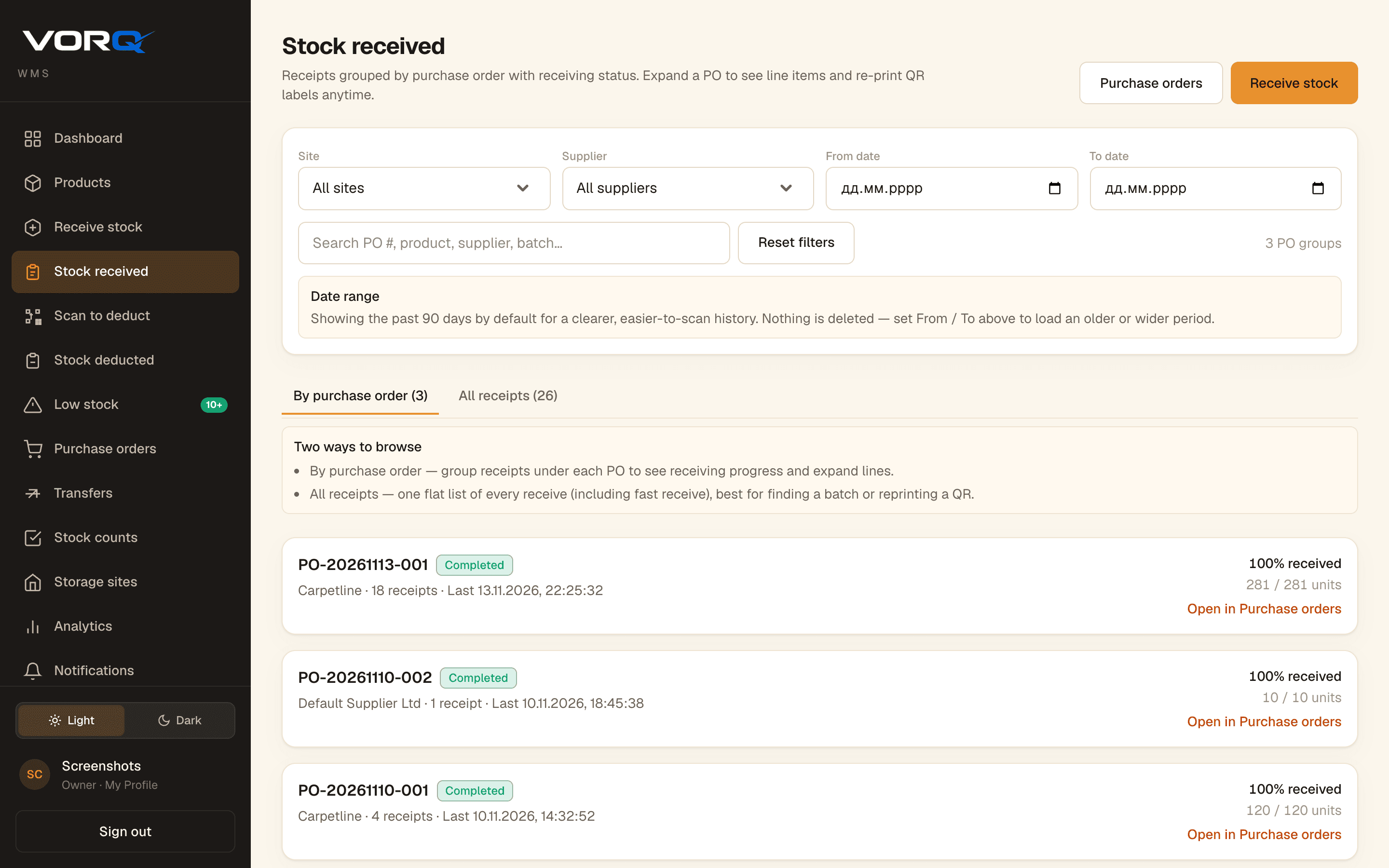
Open Stock received (or the receipt confirmation). Match PO / batch to the physical cartons. If the dock qty is wrong, fix receiving first — do not invent a putaway.
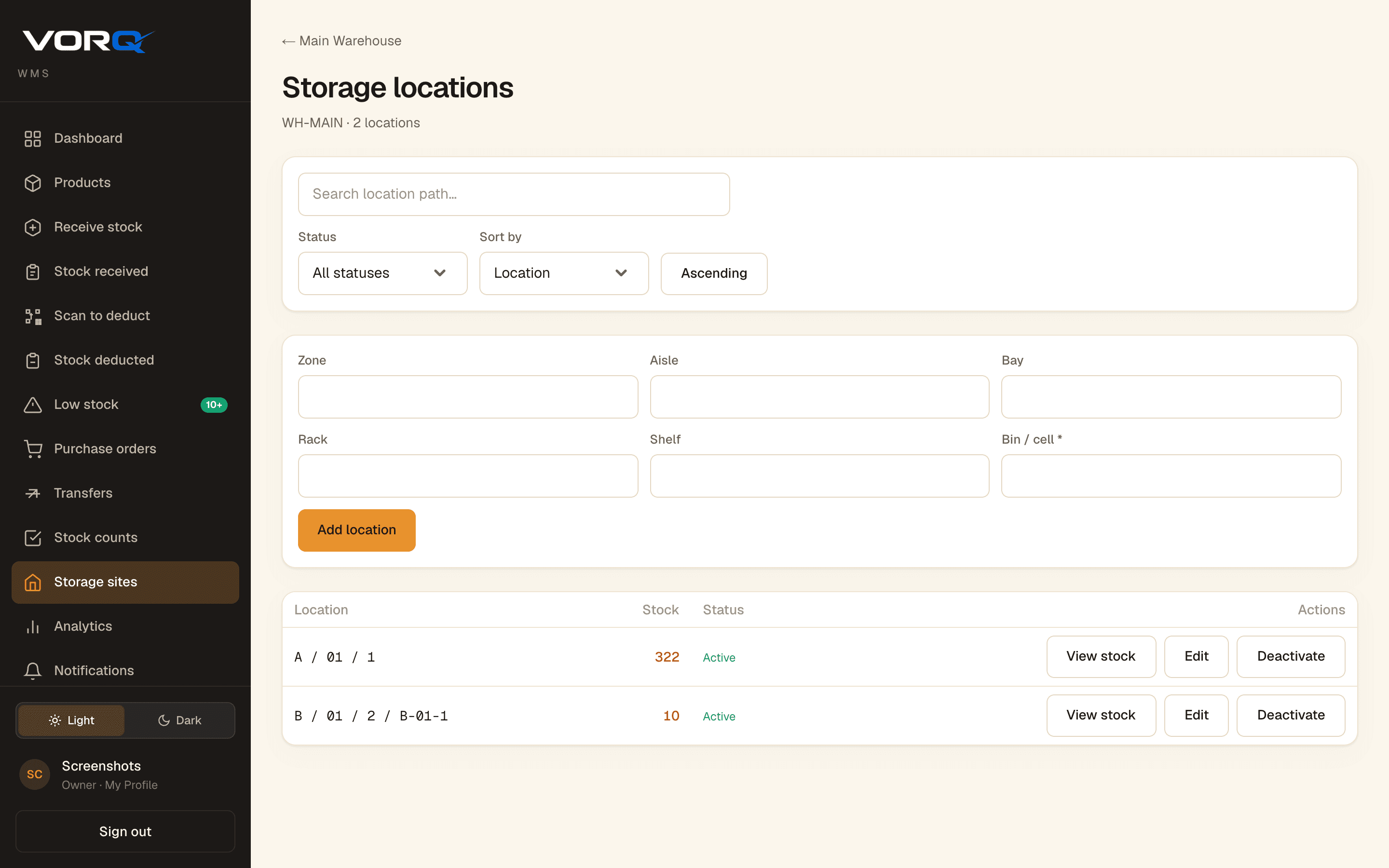
Use the Storage locations map (zone / aisle / bay / bin). Prefer the planned face. If the bin is full, pick the next coded location and record it — never “near A-01”.
Cartons without readable QR stay in quarantine. Damaged units stay out of pickable bins. Complete the physical move the same shift whenever possible.
Spot-check on-hand / recent activity for the SKU at the destination. If pickers cannot find it from the system location, putaway is not done.
Split physically before putaway. One handling unit, one scannable batch. Mixed-lot pallets break traceability.
Create the location in Storage locations, then put away. Do not invent informal names that only one person understands.
If putaway cannot finish, leave stock in a labelled receiving / stage location — never unmarked floorspace — and finish next open shift.
VORQ
Start free, invite the shift, and practice the procedure on a real receipt or dispatch.